How to Delete Your Account
In the Membo app, you can delete your account from within the app. When you delete your account, all data associated with you will be completely deleted.
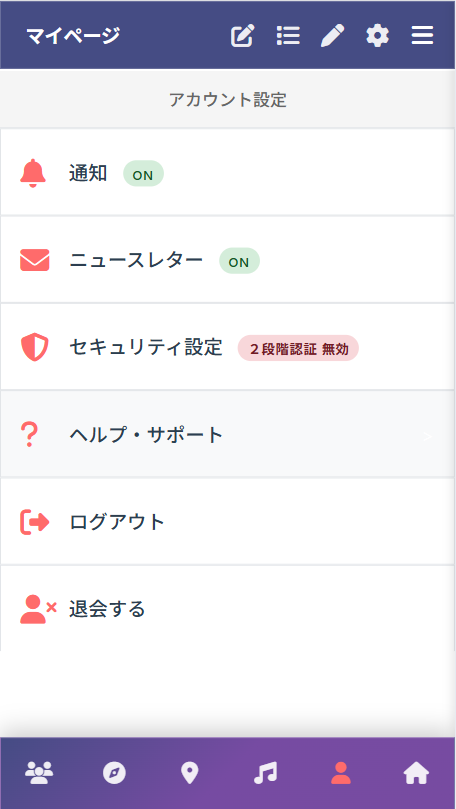
Step 1: Click "Unsubscribe" on My Page
Click the "Unsubscribe" button from your profile screen on My Page.
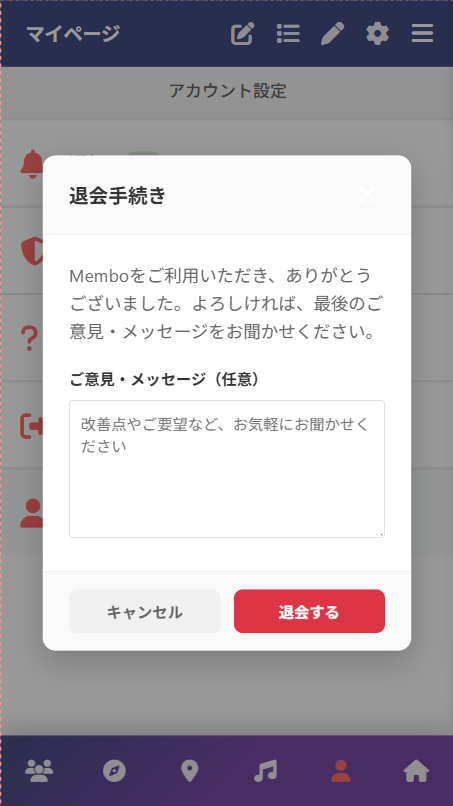
Step 2: Confirmation and Feedback
A confirmation screen will appear. If you have any feedback or suggestions for us, please enter them in the text box.
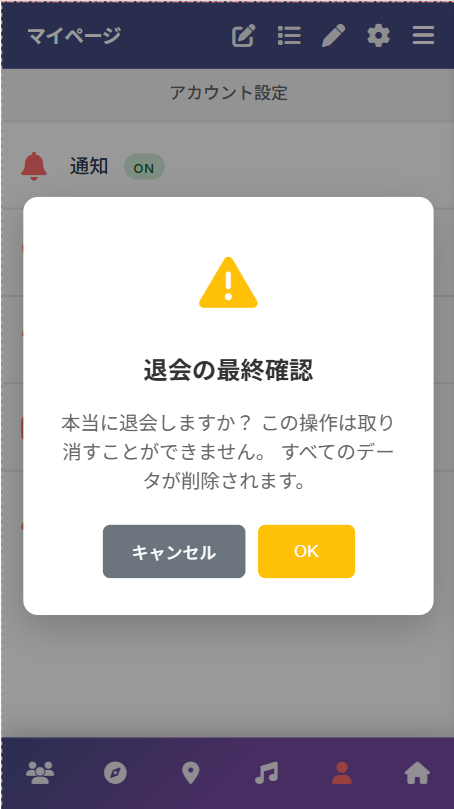
Step 3: Final Confirmation
When you click "Unsubscribe", a final confirmation screen will appear. Click "Unsubscribe" again to confirm.
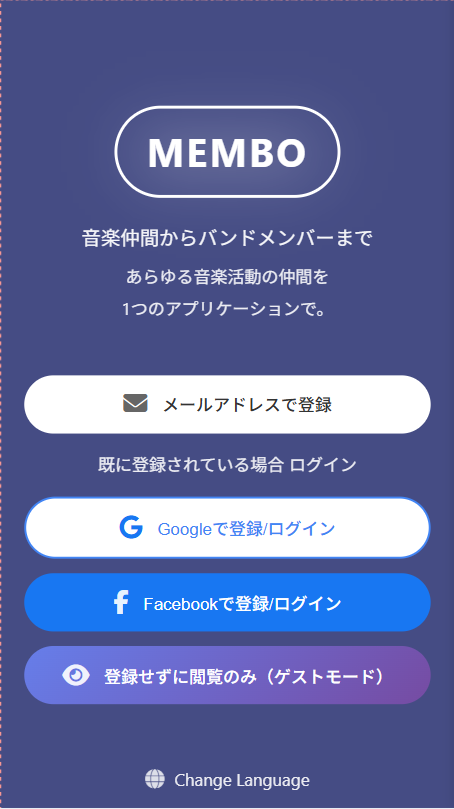
Step 4: Deletion Complete
All your data will be deleted and you will be returned to the authentication method selection screen. Your account deletion is now complete.
Data to be Deleted
When you delete your account, all of the following data will be completely and permanently deleted:
Profile Information
・Account information (email address, password, etc.)
・Profile picture
・Bio/self-introduction
・Contact information
Posts & Content
・Recruitment posts you created
・Uploaded music/audio files
・Comments and ratings
・Likes
Communications
・Direct messages
・Conversation history
・Message settings
Activity History
・Favorites
・Follow/follower relationships
・Session participation history
・Collaboration history
・Music spot usage history
Authentication & Security
・Social login connections (Google, Apple, Facebook)
・Authentication tokens
・Push notification settings
・Two-factor authentication settings
Important Notes
・Deleted data cannot be recovered. Please backup any necessary data before deletion.
・Account deletion is processed immediately.
・After deletion, you can register again with the same email address.
・In conversation history with third parties, messages you sent will be deleted, but may remain in the other party's records.
Contact Us
If you have any questions about data deletion, please contact us:
Tsukurun Co., Ltd.
Contact Form: https://www.tsukurun.co.jp/contact
*Please delete your account from within the app. We do not accept deletion requests by email.