Never Miss
Important Updates
With Membo's push notifications, you can receive real-time alerts for new posts matching your criteria and messages.
Notification Types
Membo currently offers 2 types of push notifications.
Search Match Notifications
Get notified automatically when a new post matching your saved search filters is published. Tap the notification to open the matching post details directly.
Enable Notifications
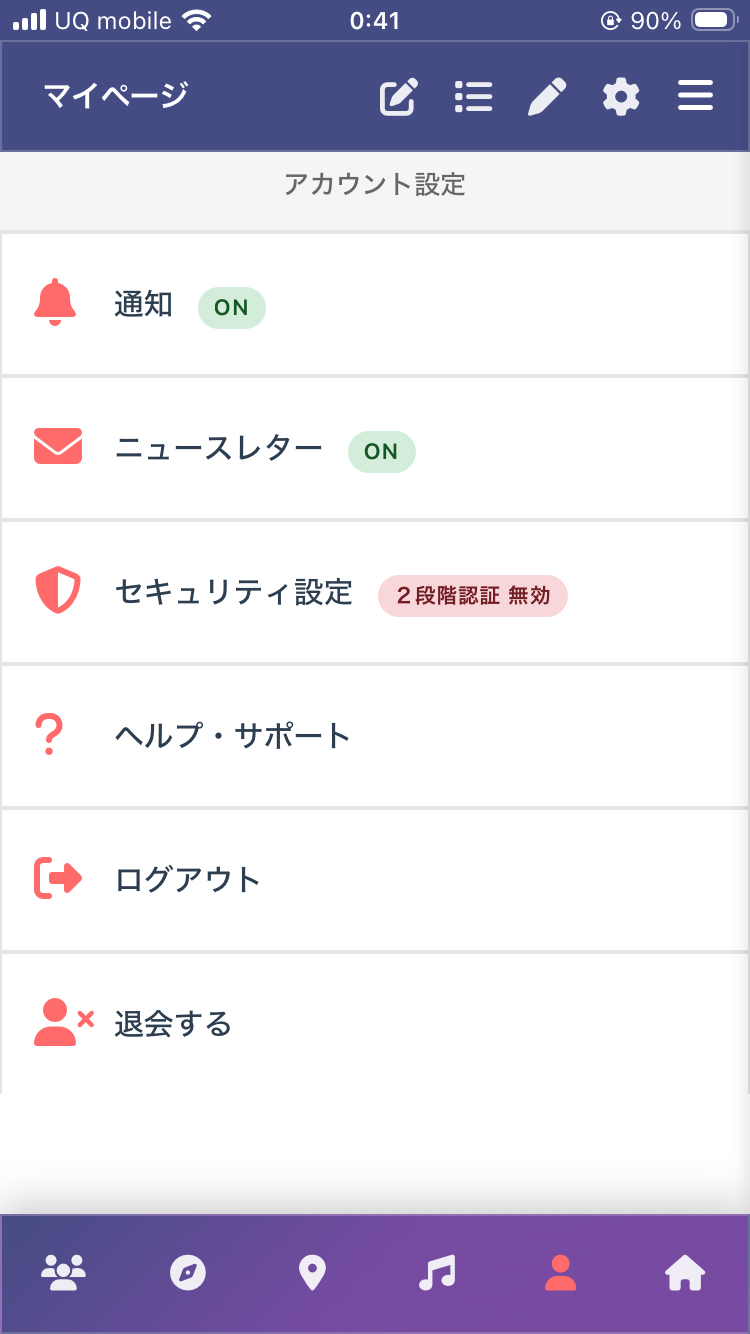
Open My Page
Tap My Page from the bottom menu, then tap Notifications.
Turn On Web Notifications
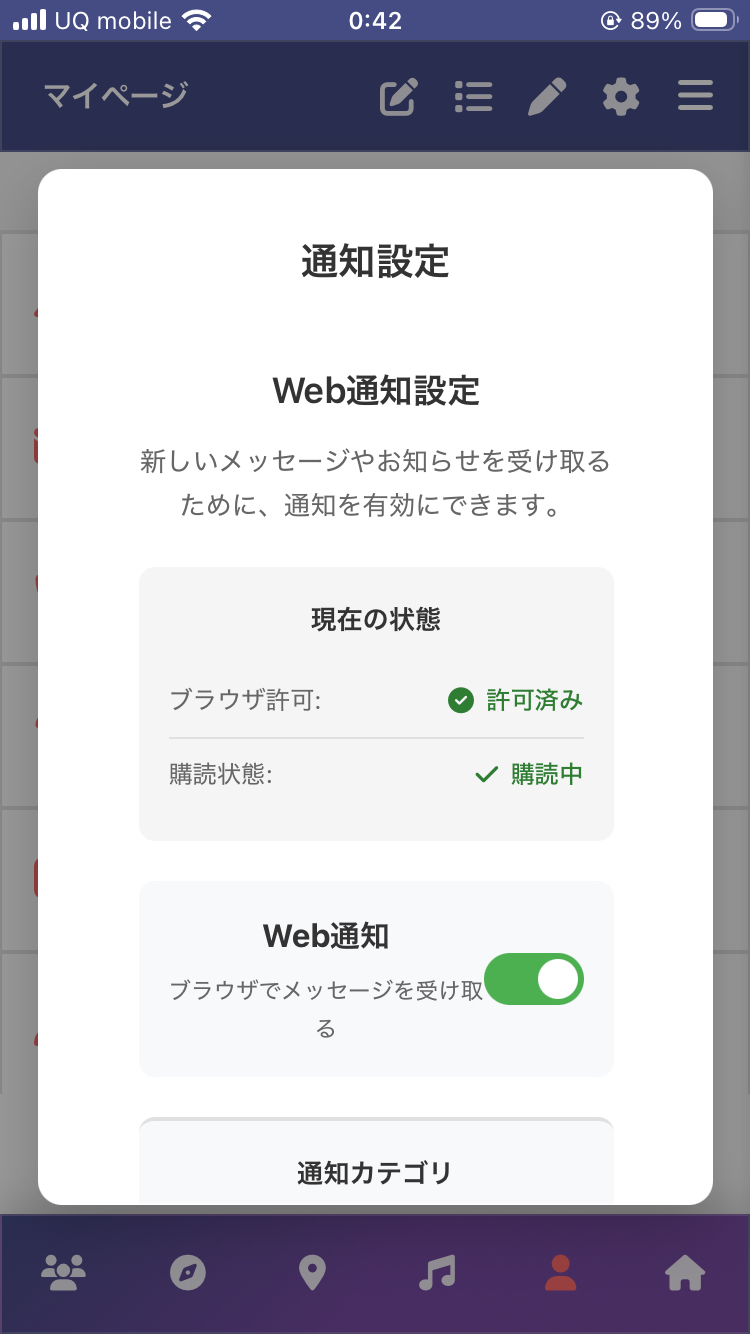
On the notification settings screen, turn ON the Web Notifications toggle. If this is your first time, a browser notification permission dialog will appear — select "Allow".
Choose Notification Types
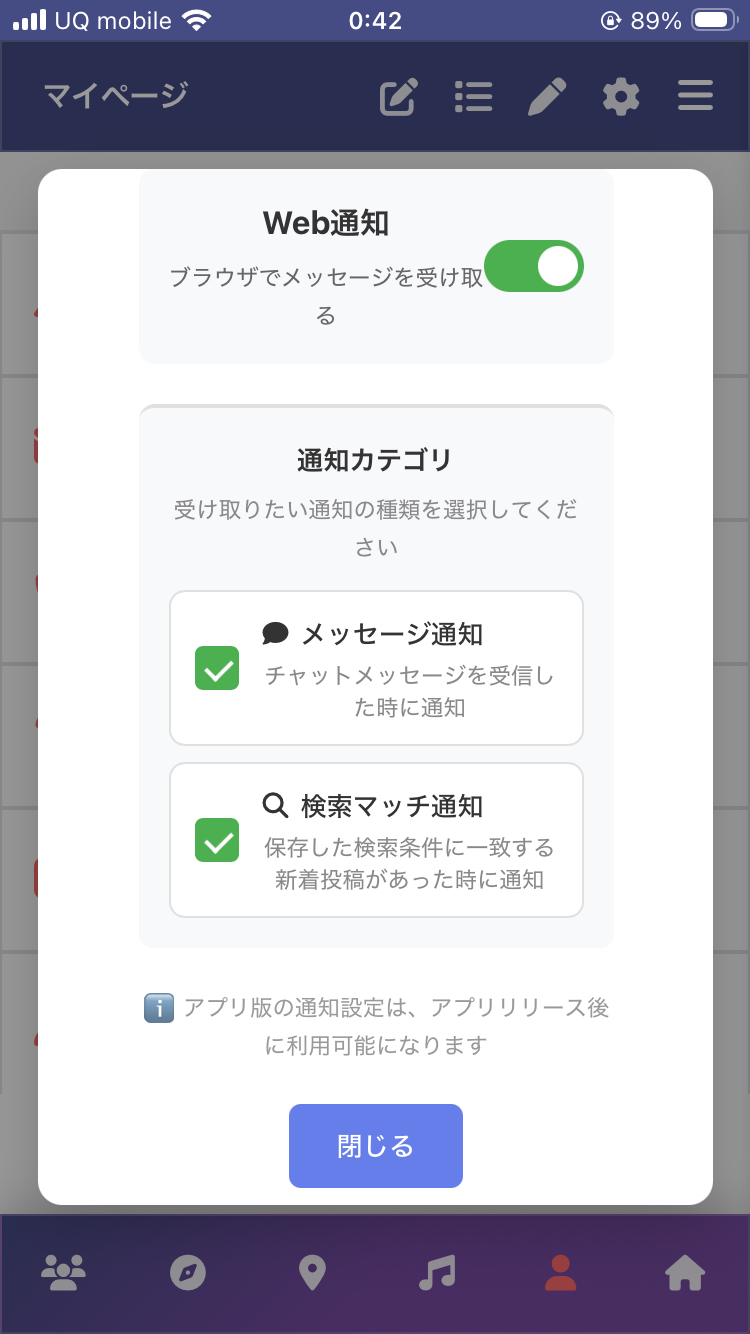
Under Notification Categories, you can select which types of notifications you want to receive. Simply uncheck any notifications you don't need to turn them OFF.
Save Search Filters to Never Miss New Posts
To make the most of Search Match Notifications, first search with your desired criteria, then save those filters. When a new post matching your saved filters is published, you'll be notified automatically.
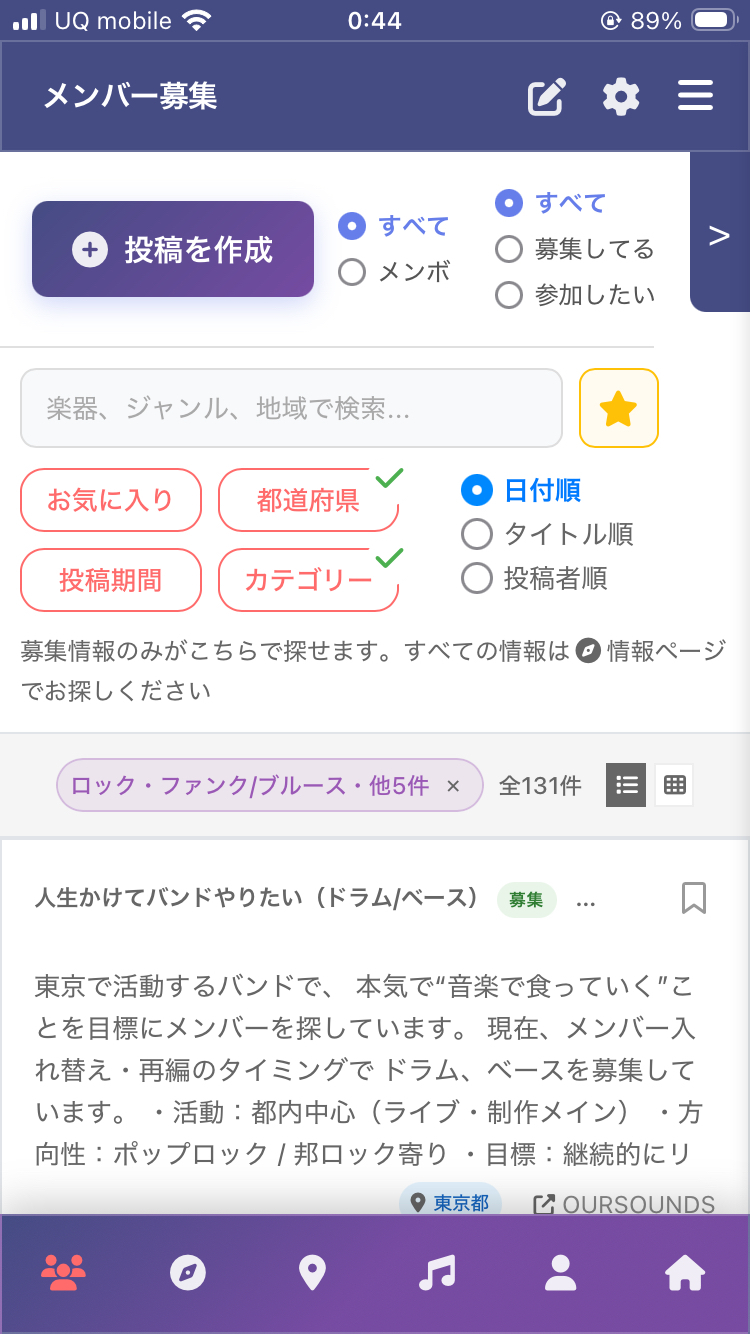
Search with Filters
On the Member Recruitment page, use filters such as Prefecture and Category to search.
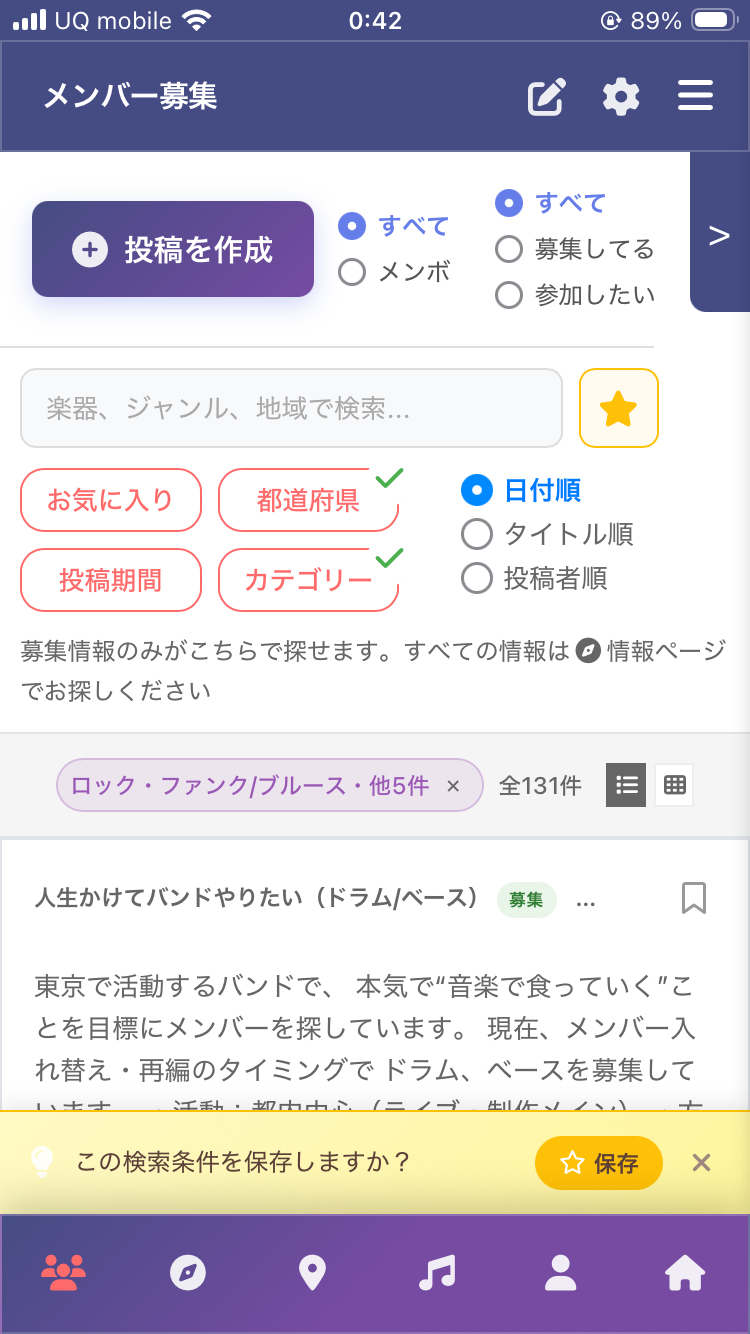
Save Search Filters
Tap the Save button shown at the bottom of the search results to save your current search filters.
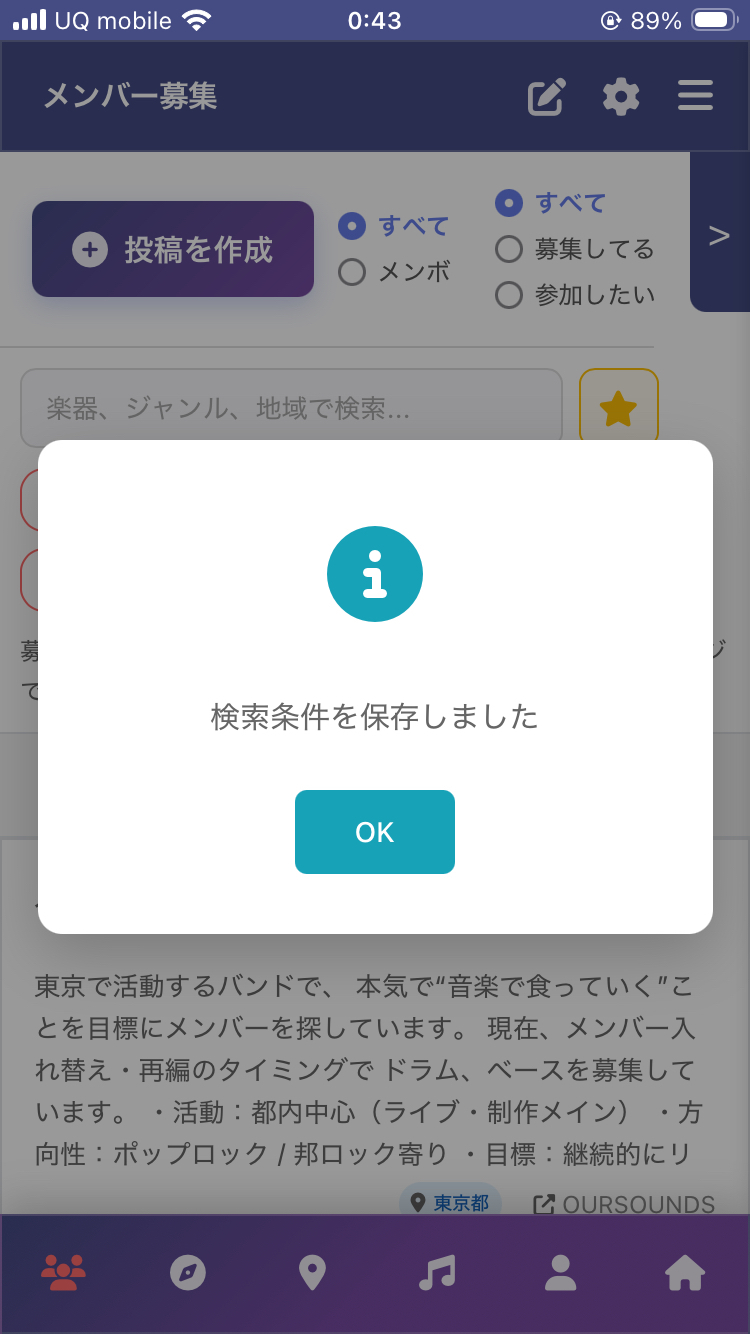
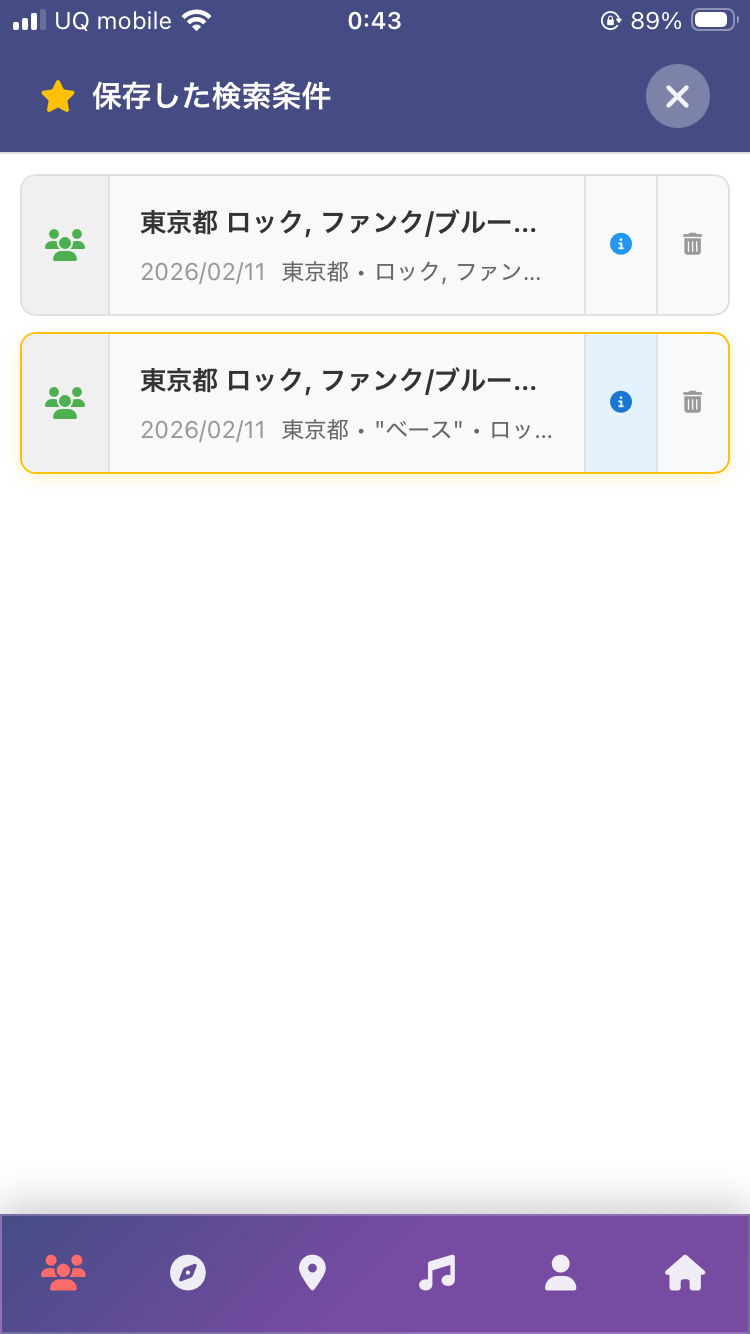
Manage Saved Filters
Tap the icon next to the search bar to view your saved filters list. From here you can view details, apply, or delete filters.
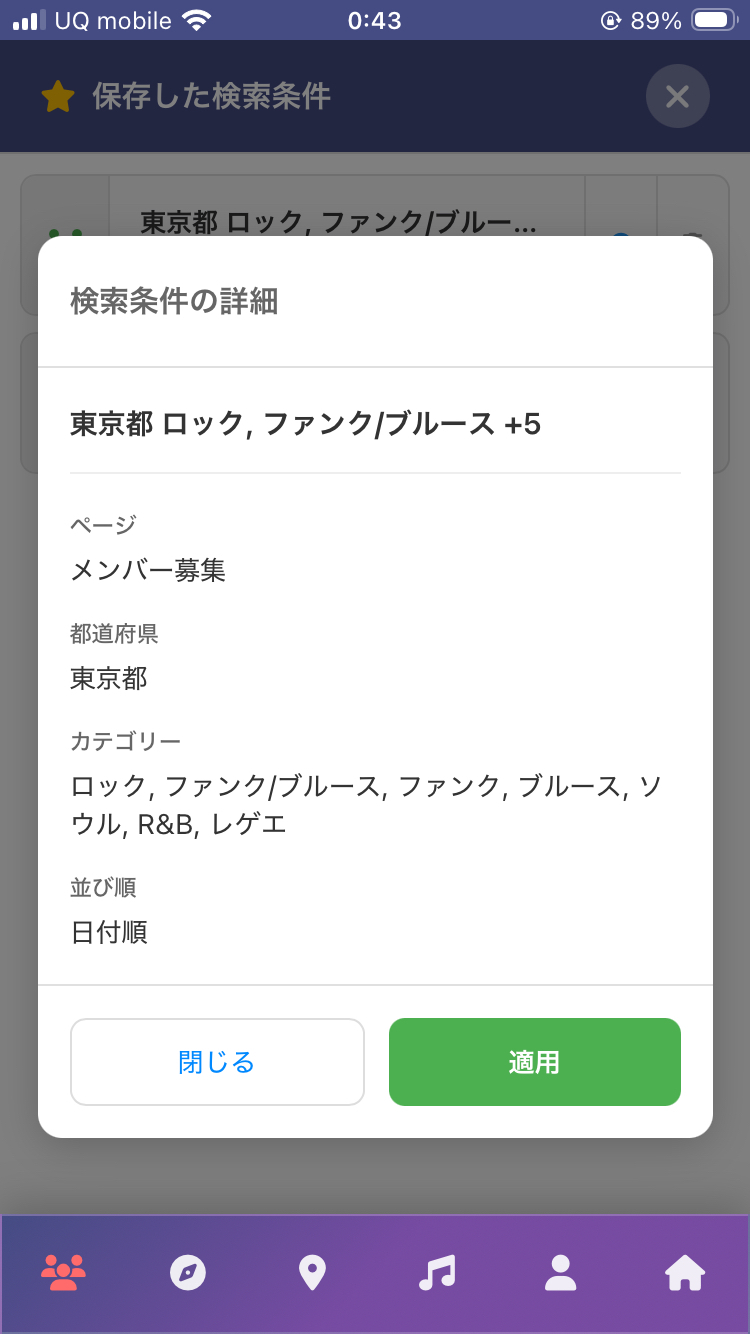
When You Receive a Notification
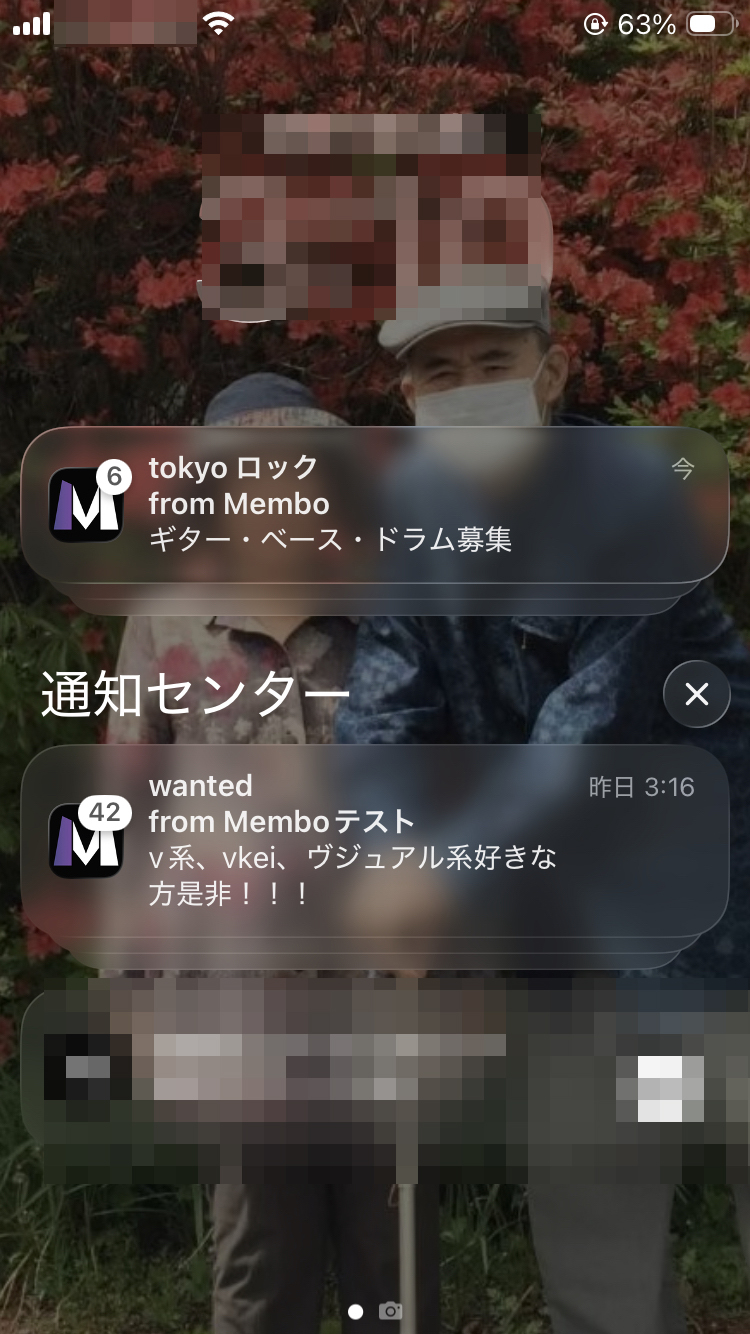
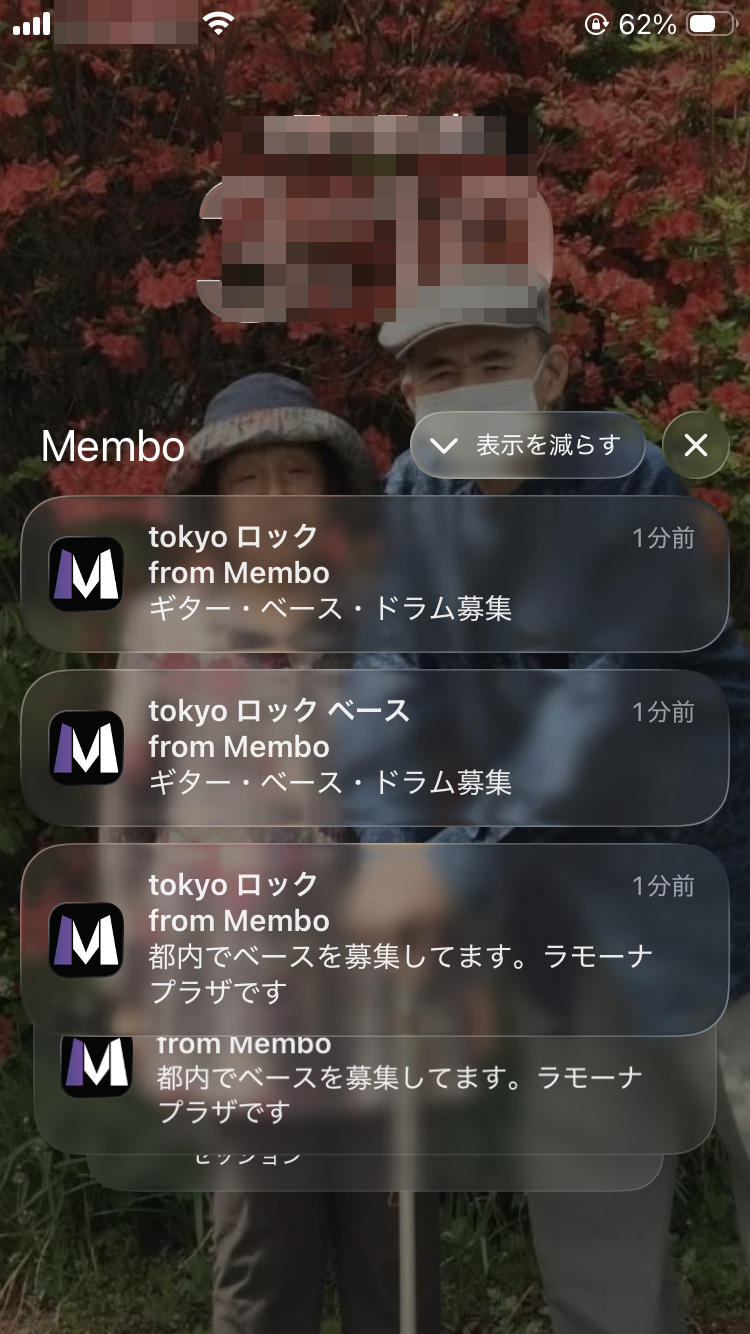
When a new post matching your criteria is published, you'll receive a push notification on your iPhone or Android lock screen and notification center.
When You Tap a Notification
Frequently Asked Questions
What should I do if I'm not receiving notifications?
Please check the following:
- Go to My Page → Notification Settings and make sure "Web Notifications" is turned ON
- Make sure your browser's notification permission is set to "Allow" (Browser Settings → Notifications)
- If you're using an iPhone/iPad, make sure you've added Membo to your home screen (PWA install)
- Make sure your device's "Do Not Disturb" or "Focus Mode" is turned OFF
How often do Search Match Notifications arrive?
Each time a new post is published, it is periodically checked against your saved search filters. Notifications are only sent when a matching post is found. If you're receiving too many notifications, you can narrow down your search filters or turn off this category in your notification settings.
How many search filters can I save?
You can save multiple search filters per account. However, saving too many filters may result in frequent notifications. You can delete filters you no longer need from the saved filters list.
How do I turn off notifications?
You can change this from My Page → Notification Settings.
- Turn off all notifications: Turn OFF the "Web Notifications" toggle
- Turn off specific types only: Uncheck the desired notification category
Can I receive notifications on a PC?
Yes. You can receive Web Push notifications on major browsers such as Chrome, Edge, and Firefox. Make sure your browser's notification permission is set to "Allow" and Membo's notification settings are turned ON.
Can I receive notifications without adding Membo to my home screen?
You may receive notifications if your browser's notification permission is turned ON, but adding Membo to your home screen (PWA install) provides more reliable notification delivery. On iPhone/iPad in particular, PWA installation is required.
What is Membo? — An 8-Language Member Recruitment Service
Membo is a multilingual service specializing in member recruitment for bands, theater groups, and clubs. Launched in January 2026, it is Japan's only platform supporting 5 languages, connecting international musicians living in Japan with Japanese members.
Key Features of Membo
8-Language Support
Full support for Japanese, English, Chinese (Simplified/Traditional), and Korean across menus, listings, and chat.
Real-time Translation Chat
Simply send a message in your language and it's automatically translated for the recipient. Communicate with musicians worldwide without worrying about language barriers.
Map Search & Station Selection
Search for nearby music spots and members on Google Maps. Specify your nearest station to efficiently find members in your area.
PWA Support & Push Notifications
No app store installation required. Just add to your home screen from the browser for push notifications and fast loading — the same experience as a native app.
How Push Notifications Work — PWA Web Push Technology
Membo's push notifications use the standard PWA technology "Web Push API." You can receive real-time notifications just like with a native app.
How Notifications Reach You
Service Worker Registration
When you first open Membo, a Service Worker is automatically registered to run in the background. This acts as the notification receiver.
Permission Request
Your browser shows a "Allow notifications?" dialog. When you allow, your device's subscription info is securely sent to Membo's server.
Server Push Delivery
When a new message or search match occurs, Membo's server sends an encrypted notification through the browser's push service.
Notification Display
Even with the browser closed, notifications appear as system notifications on your phone or PC. Tap to open the relevant Membo page directly.
Advantages of Web Push
No App Required
Receive notifications with just a browser — no App Store or Google Play installation needed.
Low Battery Consumption
Service Workers only activate when needed, consuming significantly less battery than always-running apps.
Privacy Protected
Notification content is end-to-end encrypted. No access to personal information on your device.
Push Notification Use Cases — When They Come in Handy
Membo's push notifications help make your member search more efficient in various situations.
Meet Your Ideal Member via Search Match
Register your preferences like "looking for a drummer in Tokyo" or "seeking a guitarist who speaks English," and get notified automatically when matching listings are posted. Never miss your ideal member even in your busy daily life.
Receive Messages in Real-time
Get instant notifications when someone messages you — "I'm interested in your listing" or "Want to jam at a studio?" No more missing opportunities due to late replies. With translation chat, you can read foreign-language messages in your own language.
New Posts from Followed Members
Follow musicians you're interested in and get notified when they post new listings. Stay updated on members whose band direction aligns with yours.
Session & Live Event Updates
Get notified when nearby live houses or session events are updated. Push notifications deliver the latest info when you're wondering "any sessions this weekend?"
Notification Feature Comparison Across Band Recruitment Services
We compared notification features of Japan's major band member recruitment services. Real-time notifications significantly impact how quickly you can find members.
| Notification Feature | Membo | OURSOUNDS | BBS |
|---|---|---|---|
| Push Notifications | ○ | ✕ | ✕ |
| Search Match Alerts | ○ | Email only | ✕ |
| Chat Notifications | ○ | Email only | ✕ |
| Translation Chat Alerts | ○ | ✕ | ✕ |
| Multilingual Notifications | ○ 8 | ✕ | ✕ |
| Real-time Delivery | ○ | ✕ | ✕ |
| Notification Cost | Free | Free | Free |
Membo is the only band member recruitment service in Japan that provides push notifications, search match alerts, and translation chat notifications — all in real-time. Other services offer email notifications only or have no notification features at all.
Frequently Asked Questions About Push Notifications
Is there a charge for push notifications?
No, Membo's push notifications are completely free. After registration, simply allow browser notifications to receive all alerts. There are no additional charges whatsoever.
What types of notifications will I receive?
There are mainly 3 types: (1) new message notifications, (2) search match alerts when listings matching your criteria are posted, and (3) new post notifications from members you follow. You can toggle each type on/off individually.
What should I do if push notifications aren't arriving?
First, check that your browser notification settings are set to "Allow." On iPhone, check Safari settings; on Android, check Chrome settings. Also, "Do Not Disturb" or "Focus Mode" on your device may prevent notifications from appearing. If they still don't arrive, try turning notifications off and then back on.
Can I receive push notifications on iPhone?
Yes, on iPhone with iOS 16.4 or later, add Membo to your home screen from Safari (PWA install) to receive push notifications. Notifications arrive even when the browser is closed.
Can I receive push notifications on a PC?
Yes, push notifications are supported on major browsers including Chrome, Edge, and Firefox. They appear as desktop notifications in the lower-right corner or OS notification center.
How is Membo different from other band recruitment services?
Membo's biggest differentiators are 5-language support and real-time translation chat. Communicate with international musicians in Japan without language barriers. Plus, PWA push notifications, map search, and station-based search — features no other service offers, all completely free.
How many users does Membo have?
Membo launched in January 2026 and is a brand new service. We are currently in our launch phase, actively welcoming early members. Register early and take advantage of less competition to find your ideal members.